
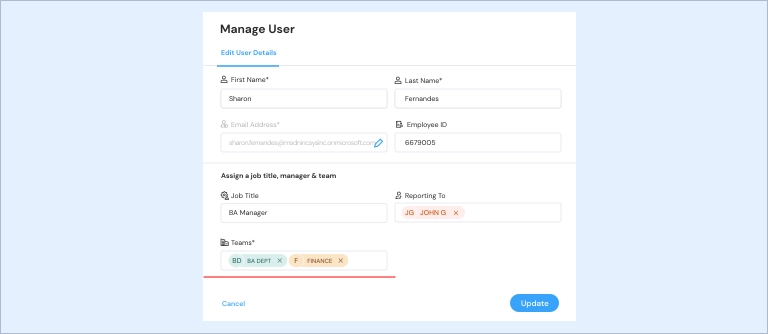
To update an existing user with multiple teams, navigate to the “Manage Users” section.
Step 1: Use the global search to find the user you wish to edit.

Step 2: As you click on the edit icon, a right drawer panel opens to edit the user data.

Step 3: Now, add multiple teams and update.
Drive company success by enabling the success of every person across the company.